
Ultraman

Looking in my old files, I found things I did a few years ago. This hero was part of my childhood. I remember I ran out from school to home to watch a new episode.

Ultraman

This is a 3D model for Poser made by Candy . For those who are fan of the series, he made also several monsters.
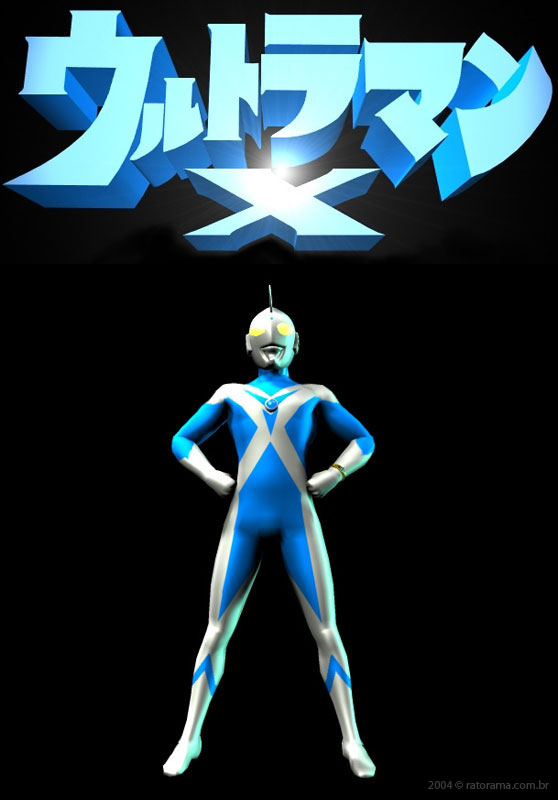
Ultraman X

I created the Ultraman X based on the Ultrawoman by Candy. At the time I tried to do comics but it did'nt pass the second page. rs

Ultraman X 3D comic


I think he should not have screamed. 8 (
 
And finally, this simple animation based on the original opening. This animation was aired on a talk show presented by João Gordo, from the band Ratos de Porão,  on MTV Brazil in 2004.


Comments

Popular posts from this blog

Testing Face Transfer for Daz Studio

Playing with Face Transfer , a new plugin for Daz Studio to generate faces from photos. It can generate texture faces and shapes for Genesis 8 figures. Even if is not 100% accurate you can create interesting characters. A free version comes with Daz Studio 4.12. With this free version you can experiment with infinty photos but if a watermark on the forehead. Also you can save up to 3 faces. To save more, you need the Face Transfer Unlimited available on Daz3D Store .

FREE Animated Poses for Genesis 3 and Genesis 8

    Idle + Blink   Floating   Messing around with timeline I created these idle animations for Genesis 3 and Genesis 8. You can apply them on male and female. One animated stand pose and one float pose. You can also add an eyes blink which comes separated. Make your characters alive! Use it as you like. You can use it with Daz Bridge to Unreal Engine 4, Blender, Maya, Max, and C4D. Just don't redistribute it. DOWNLOAD Info: extract the file into your Daz Library and search for Genesis 3 and/or Genesis 8 folder under People folder. Set your timeline scroll to the begin and apply the animated poses. Any doubt, comment.

How to make mirror poses in Daz Studio

I'm doing a new set of poses for Dawn , and I've saw a lot of people asking how to mirror poses. So I decided to make this mini tutorial. So here's the pose I wanna mirror: In Daz Studio 4.6 I go on Edit > Figure > Symmetry... or Shift+Y shortcut. In the Symmetry panel you need to set this settings as shown below. Note that this pole dance pose is wrong. Dawn is not grabbing the pole as in the original pose. So I have to adjust her. One thing I do when I make a pose is to move the character around the scene by Hip , not selecting the entire body. Look at the figure below the X Translate value of  the Hip is -16.58. Then I set a positive value 16.58 and now her hands are on the pole. So now you just have to save it as a mirror pose of the first one. Next post I will teach you how I do that in Poser. Any doubt, comment. See ya!